
A space for the posts and links that matter to you
SianCard keeps the posts and links you care about in one simple, well-organized place, ready for you to come back to anytime.

What is SianCard?
Instead of keeping posts and links in many different apps or screenshots, SianCard lets you bring them together in one place. You can add a title, choose a category, add a few tags, and quickly search for them when you need them again. It's a small, personal library for things you don't want to lose.
Save posts and links you want to keep in one app
Add categories and tags to keep everything organized
Search and reopen what you saved whenever you need it
How to use SianCard
Using SianCard is simple. Just save, organize, and come back when you need it.

Share from other apps
When you see a post or link you want to keep, tap Share in the app you're using.
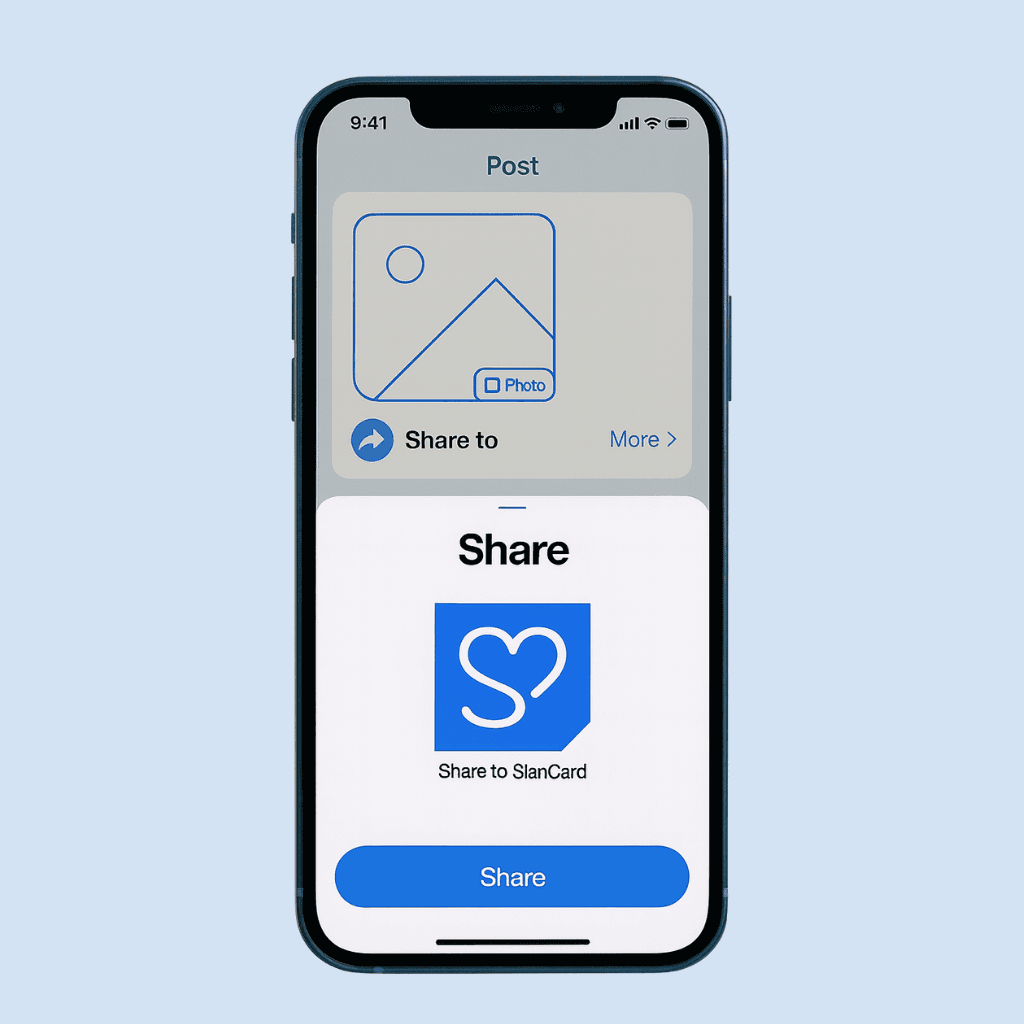
Choose SianCard
In the share menu, tap "More" (or the app list) and select SianCard.
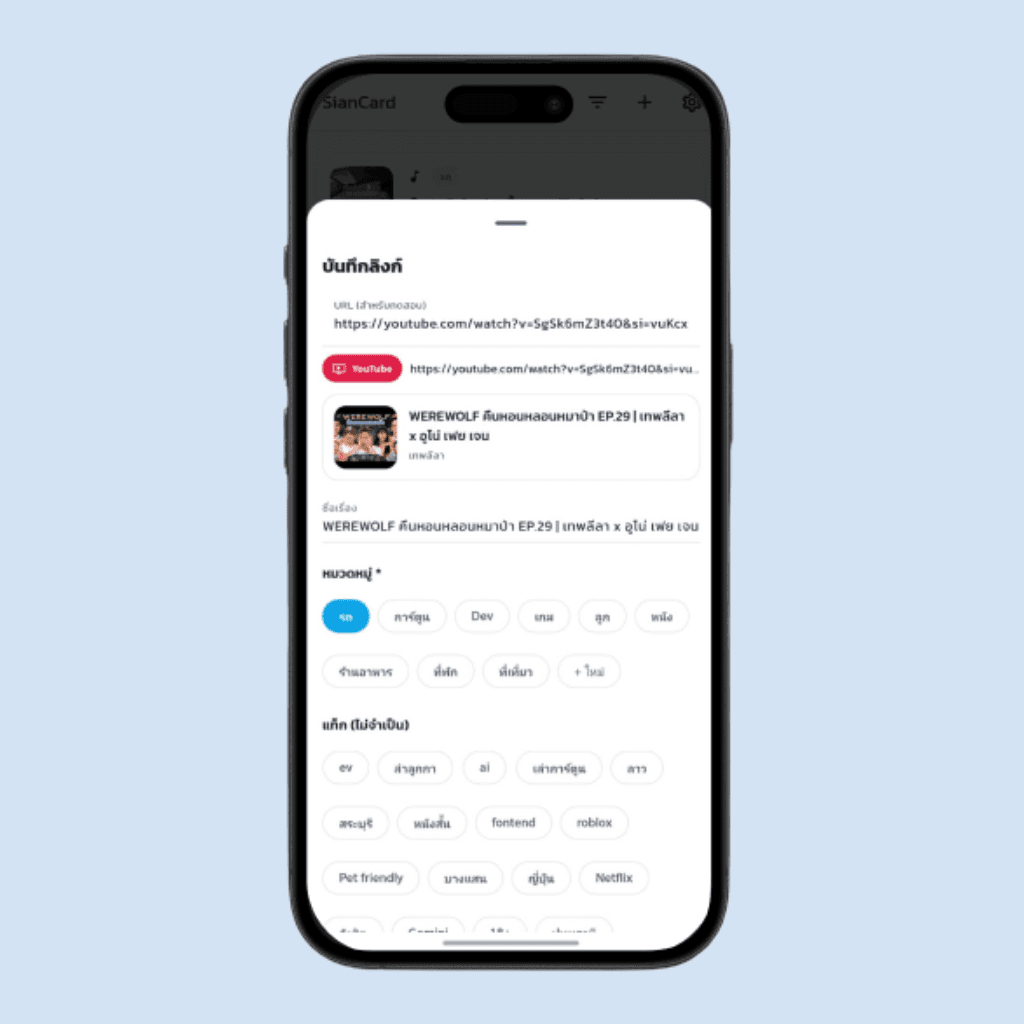
Set category and tags
Pick a category, add a few tags if you like, and tap Save.

View it in SianCard
Open SianCard to see the link you saved, ready to search and revisit anytime.
Ways to use SianCard
Everyone keeps different things. These are some common ways SianCard can help you save and organize what matters to you.

Save ideas and inspiration
Keep posts and links that give you ideas for future projects, plans, or personal goals.

Collect things you want to learn
Save tutorials, tips, and articles you don't have time for right now but want to study later.

Keep useful content for your work
Store reviews, examples, and references that are helpful for your job, business, or projects.

Make a "come back to this" list
Use SianCard to keep posts and links you want to revisit when you have more time.
Get Started with SianCard Today
You've seen what SianCard is, how it works, and how you can use it. Now start building your own library—download the app and begin saving posts and links in just a few taps.
We'd Love to Hear From You
Now that you've seen what SianCard can do and how to get started, we'd be happy to hear from you. If you have questions, run into an issue, or want to share ideas or proposals, you can reach us using the contact details below. We'll get back to you as soon as we can.
Business Inquiries
For partnerships and other business-related matters.
sendbusiness@siancard.com